Skill 01
Prompt well, again and again
Beyond the clever one-off prompt: reusable patterns, context libraries, and the shortlist of LLM tools each role in the team should actually learn.
Most teams have played with Copilot and GPT tools. Few have got AI into real, repeatable work. This programme teaches your own people how to put AI to practical use, build their own small apps, and set the ground rules so the wins keep paying off long after the training ends.
Six skills covering the daily use of AI tools, building your own small apps, and the ground rules that keep it all safe and durable.
Beyond the clever one-off prompt: reusable patterns, context libraries, and the shortlist of LLM tools each role in the team should actually learn.
Where AI earns its keep week after week: meeting notes, drafting, research, summarising, translating. Concrete habits each department can adopt on Monday.
Tools like v0, Bolt, Cursor and Replit let people without a developer background build genuinely useful internal apps. You learn how to brief them properly, refine the result, and recognise when you've hit the ceiling.
What you can send to which tool. Data classification, prompt hygiene, and the basics of enterprise-grade vs consumer AI. No fear, no recklessness.
Approved tools list, named owners, usage logs, a quick review when a model changes. A light framework so the AI work stays traceable without turning into bureaucracy.
Documentation, handover drills and reliability checks that keep your AI-driven work running when the person who built it moves to the next job.
Three stages, six to twelve participants. Each person brings a real example from their own work, and we turn at least one into working AI by day two.
About two hours, self-paced. Covers the current AI landscape: what Copilot, ChatGPT, Claude, and vibe-coding tools actually do today, so the group starts with shared language.
A full day at one of our training locations. Prompting, fitting AI into your workflow, and a first go at building a small app. Everyone leaves with a working prototype of their own example.
Two to three weeks later, on your premises. We review what went live, work through the ground rules and continuity plan, and sketch the next wave of AI ideas together.
Microsoft Copilot as the default for teams already on Microsoft 365. ChatGPT and Claude for general LLM work. For vibe coding: v0, Bolt, Cursor, Replit depending on what fits your stack. We bias toward tools you can realistically keep using after the programme.
Yes. A good chunk of day two is about exactly this: data classification, the difference between consumer and enterprise tiers, where your prompts and outputs actually go, and how to set policies your team will actually follow.
It's both. The tools are moving fast, but describing a workflow clearly enough for an AI to build a first version is becoming a lasting skill. We teach the part that will still matter in two years: framing the problem, reviewing the output, and knowing when to call a real developer.
Yes. If you feel we did not deliver the value we promised, we refund the full programme fee. No long conversations, no small print.
Book a free thirty-minute call. We'll talk through the tools you use today, the concerns you have, and what the first month of real AI work should look like.
Book a discovery call
The June 2026 Power BI Desktop Bridge lets an agent build and verify reports. Here is how to enable it and install the two CLIs the docs leave out.
Read
AI won’t make people jobless. It will change how we work and create new kinds of jobs. See what history teaches us about how technology reshapes work.
Read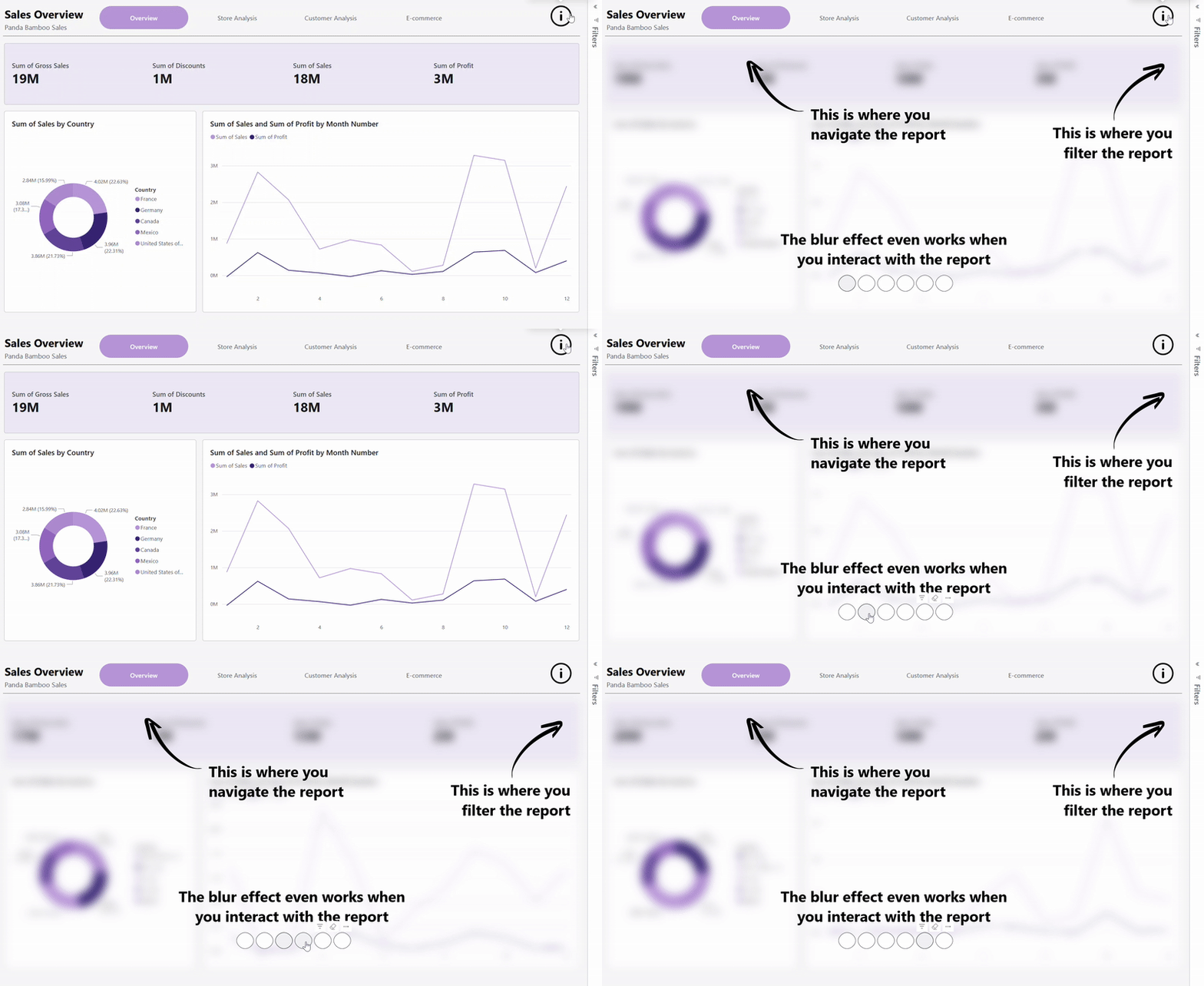
Learn how to add a blur effect to your Power BI reports using a simple HTML trick. Guide your users’ attention, create interactive overlays, and make your reports easier to navigate with this practical step-by-step tutorial.
Read